Product problem
18 clicks before the first draft.
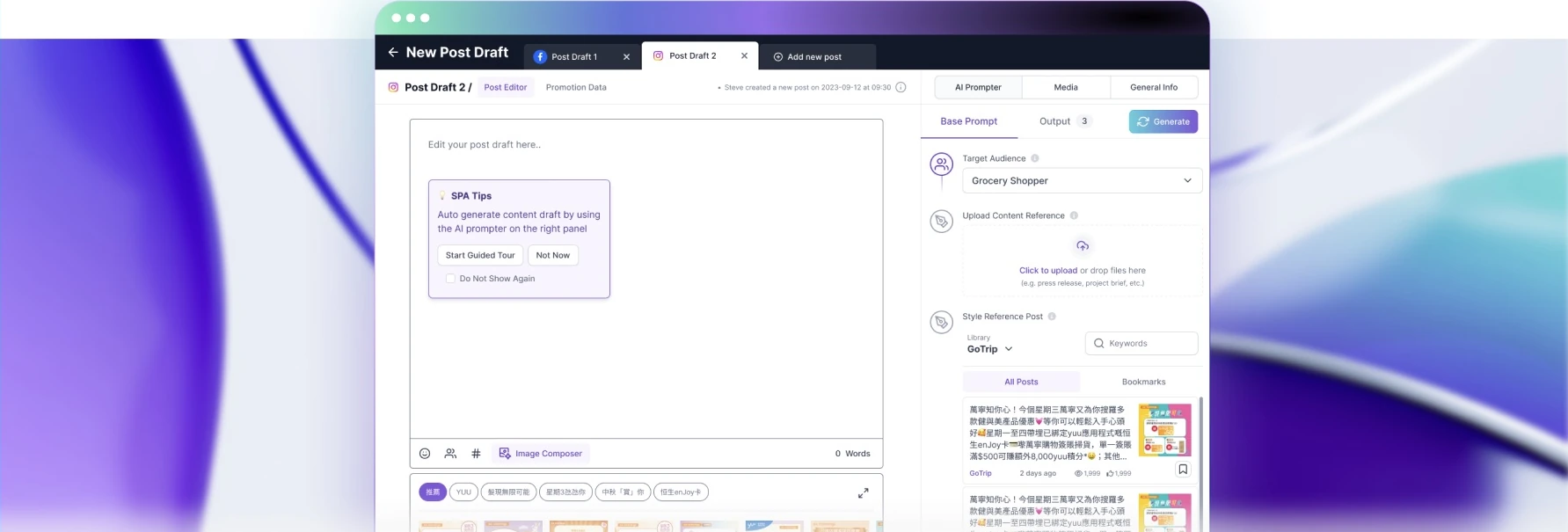
Social Post Automator helps New Media Group’s affiliated clients create social content. Users provide an audience and campaign brief, choose reference material, generate copy and compose images before scheduling a post.
The initial MVP testing had focused on AI generation. Setting up a post was still cumbersome: controls were scattered across tabs, users had to save manually, and reaching the first generated content took at least 18 clicks.
Generating a new version could also erase edits in the same field. Users moved their drafts into Google Docs or other text editors to edit and keep them. I joined to identify these usability problems and prioritise the next iteration.
Evidence & direction
Test recordings showed where users got stuck.
There was little time for another round of testing. I reviewed the existing session recordings and interviewed the test coordinator about the problems users had encountered.
From the recordings, I measured task-completion time and clicks to the first generated content, and checked which components people used. Average completion time was 30 minutes. Users repeatedly moved between controls or left the product to edit their drafts.
I traced the problems to two parts of the workflow. Setup gave too much space to advanced prompt controls, and generation shared the same field as editing. I focused on simplifying setup and giving users a separate place to work on the draft.
Design decisions
Keep setup, generation and editing connected.
Put the editor beside the prompting controls.
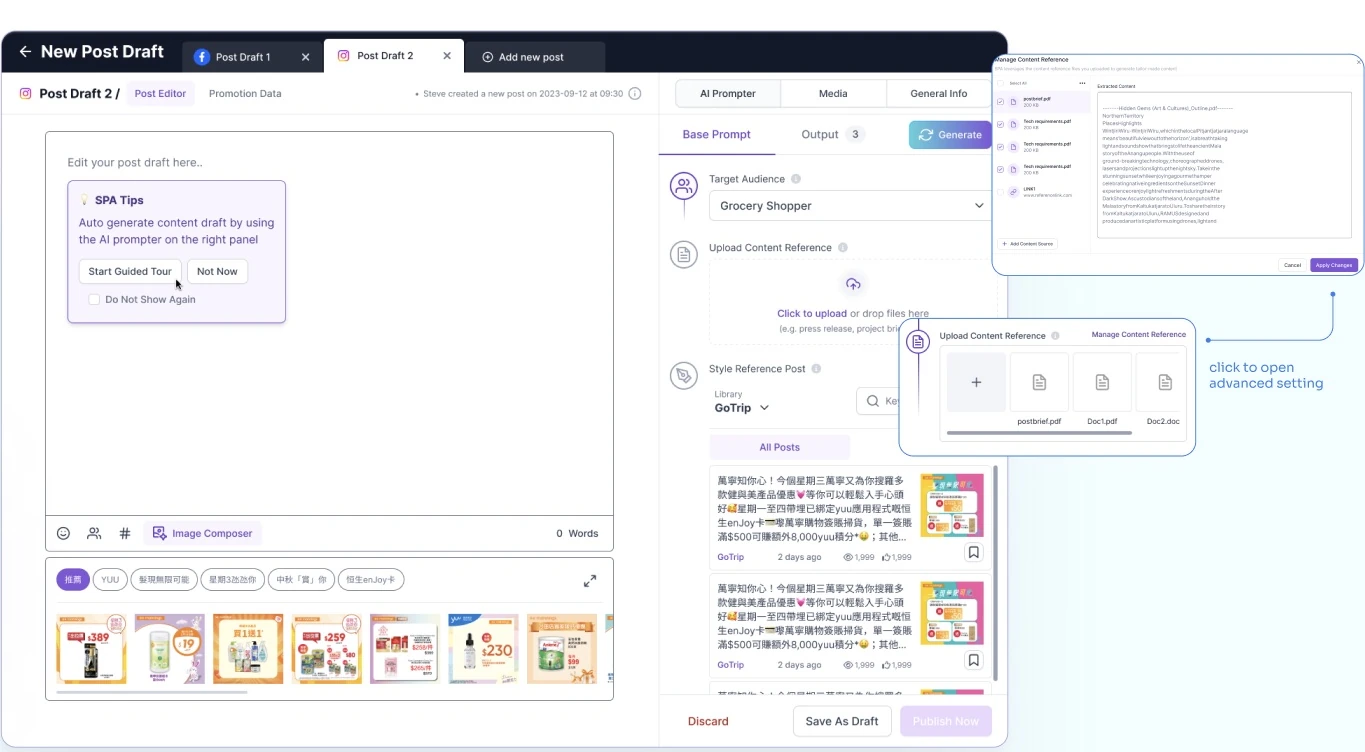
I made the editor the main workspace and placed the AI Prompter beside it. Setup settings were grouped together, with less-used prompting features given less space. Users could still open the advanced reference settings when they needed them.
Audience settings, uploaded material and style-reference posts sat together. Users could prepare a request and edit the draft in the same view, reducing the need to switch tabs.
Keep generated versions separate from the working draft.
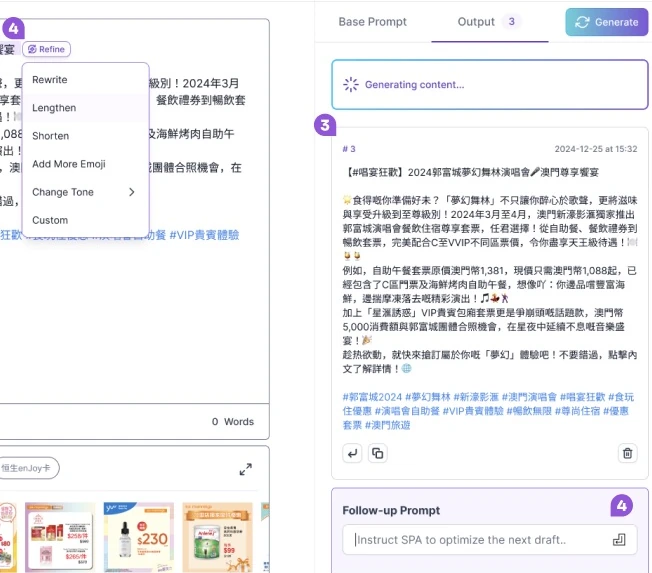
I moved generated versions into an Output tab, where users could retrieve and compare them. The working draft had its own editing area, so generating another option would not overwrite their edits.
Users could select part of the draft to rewrite, shorten or change its tone. A follow-up prompt let them change the direction of the next generation. They could refine the copy within the product instead of moving it to another editor.
Prioritisation & collaboration
Rank usability fixes with the team.
I listed the usability issues and ranked them with the team using a scoring model adapted from RICE. It combined user impact and confidence with the product owner’s business priorities. Developers and I estimated the effort for each fix.
We grouped the work into major enhancements, quick wins and backlog items, weighing the effort against the problems in the recordings. I recorded the UX trade-offs we agreed on so the team could revisit them.
Outcomes & reflection
Faster creation in the follow-up tests.
Five users tested the revised version after development. Average creation time was 11 minutes, compared with 30 minutes in the earlier MVP recordings. Four of the five worked without coaching on their first attempt.
The evaluation reported that users no longer needed external editing software, and all five responded positively to the new layout. These five tests do not establish longer-term adoption or time savings in everyday use.
Reviewing the recordings gave the team specific problems to prioritise. Users were spending time setting up requests and protecting their edits, so those parts of the workflow needed attention alongside the generated copy.
I would next test a longer session with repeated editing and generation. I would check whether users can recover their work and keep track of the draft they intend to publish.